I use Claude Code skills through SkillGild for frontend work, code review, and getting finished work out into the world. Paying for the skills I keep returning to has been one of my best decisions for this workflow. Vernier is the clearest example.
I'm writing this as a SkillGild consumer. This is my personal Claude skills shortlist, based on the work I want my agent to do. My list includes two paid skills and eight free ones; I checked the current catalog on October 9, 2026.

My work covers backend systems and AI infrastructure, so I care about the implementation and the checks around it. I want a skill to leave me with something I can inspect and use in a project.
If you only want the short answer: I pay for the parts that solve a recurring problem, then add free skills around them. A paid skill earns its place when I can explain what I use it for without reciting its feature list.
The Claude Code skills I use, at a glance
| Skill | What I use it for | Current access |
|---|---|---|
| Vernier | Interactive illustrations for product interfaces | SkillGild Pro |
| Pro Preview | Checking color contrast before shipping | SkillGild Pro |
| Taste Skill | Frontend layout and visual direction | Free hosted skill |
| Logo Design | SVG marks and brand concepts | Free hosted skill |
| Brag | Turning project work into a launch video | Free hosted skill |
| HyperFrames | Controlling the video composition and timing | Free hosted skill |
| OpenSpec Propose | Defining a feature before implementation | Free hosted skill |
| Code Review | Reviewing a diff for concrete problems | Free community plugin |
| Webapp Testing | Checking an app in a real browser | Free hosted skill |
| Academic Plotting | Research figures and readable chart colors | Free hosted skill |
The order follows my workflow and preferences. It isn't a benchmark ranking. The original creators are credited below; getting a skill through SkillGild doesn't make it a SkillGild invention.
What are Claude Code skills?
Claude Code skills are folders containing a SKILL.md guide and, when needed, scripts or reference files. Claude loads relevant instructions to help with a task. A skill can describe a local workflow or teach your agent how to use a hosted service such as SkillGild.
1. Vernier: the paid Claude Code skill I value most
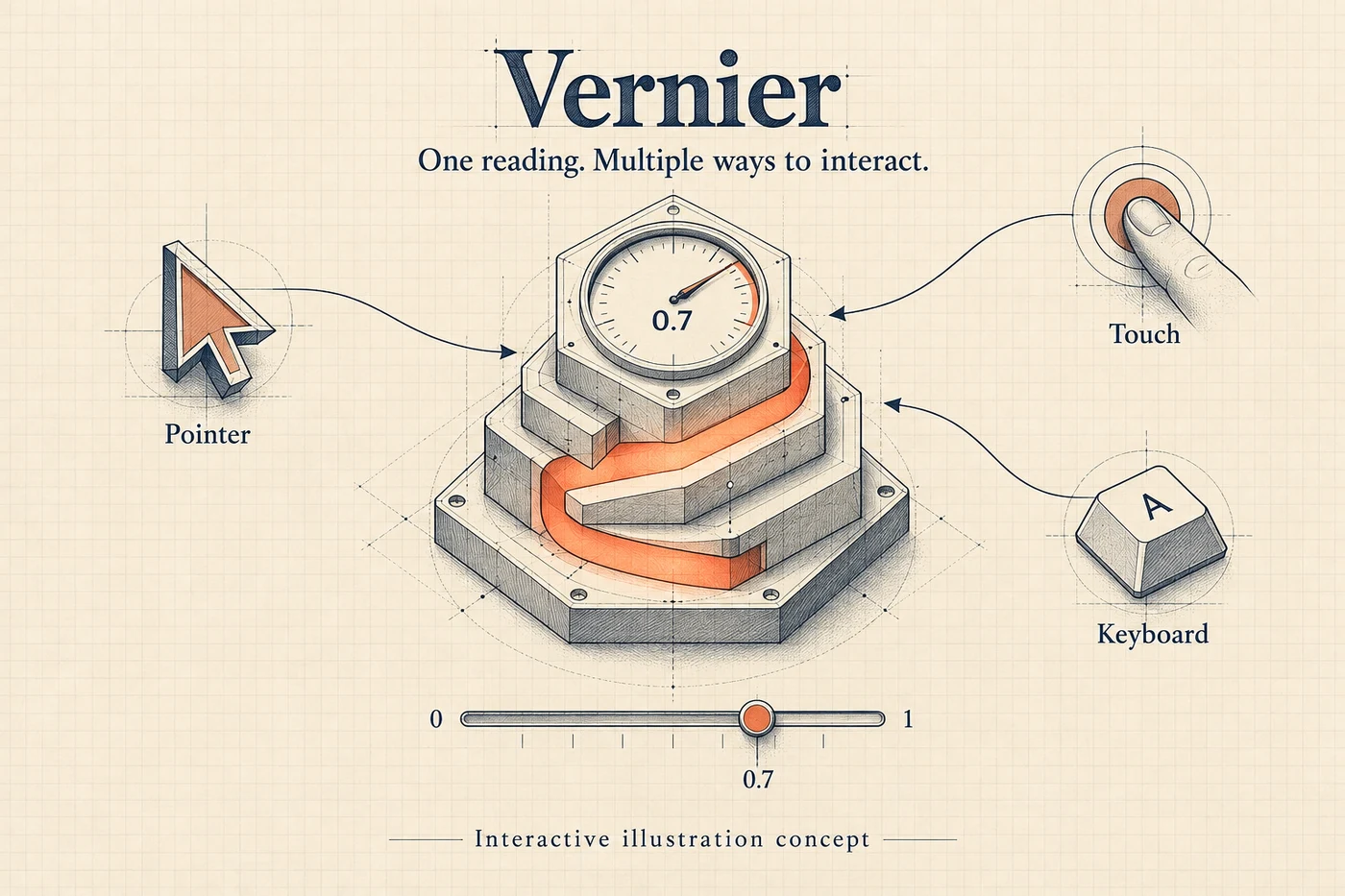
AI-generated editorial concept illustrating the interaction model; see the linked skill examples for actual Vernier output.
Vernier is my first pick when I want an interface illustration that responds to the person using it.
The useful part is the interaction model. Vernier makes isometric line illustrations that can respond to a pointer, touch, keyboard input, or a live signal. The deliverables include a React component, a web component, and a preview page. That fits the kind of product interfaces I work with much better than treating every visual as a static image.
For example, I'd give the agent this brief:
Use Vernier to design an isometric illustration for a developer tool. Show one reading from 0 to 1. Give it pointer, touch, and keyboard controls, and keep the highlight consistent with the interface accent.
That is a specific job with an output I can inspect. It's why paying for Vernier feels worthwhile to me: I want a reusable way to build this kind of interaction, rather than spending every session explaining the same behavior again.
I also respect its limits. Vernier isn't the choice for a photograph, a logo, or a chart with several data series and axes. It shows one reading at a time. If the requirement is a line chart comparing experiments, I move to Academic Plotting.
My recommendation: if interactive product graphics are part of your regular work, look at Vernier's examples and requirements, then compare the current Pro plans. This is where I'd start with a paid skill.
2. Pro Preview: a paid check I can use before shipping
I use Pro Preview for a quieter problem: colors that look acceptable in a screenshot but don't have enough contrast in the interface.
It checks a palette against WCAG contrast ratios and suggests alternatives that pass the requested checks. That gives me something concrete to review when an agent changes the colors in a dashboard, slide, or chart.
The distinction matters with charts. A color can be readable as a thick line and still fail when used for a small text label. WCAG's minimum contrast guidance explains the text requirements; I don't want to decide that by eye.
My prompt is usually closer to this than to “make the colors accessible”:
Check these foreground and background pairs. Separate small text from larger graphical elements, explain which checks fail, and propose replacements that preserve the meaning of the palette.
A contrast check covers contrast. I still need to inspect keyboard navigation, labels, focus states, and the rest of the interface. Pro Preview earns its place by giving me a bounded check I can repeat.
At publication, Vernier and Pro Preview are the two premium skills listed in SkillGild Pro, each with 25 sessions per calendar month. Prices and the payment method depend on billing country. I use the pricing page for the current terms rather than copying a price that may change.
3. Taste Skill: frontend direction before more components
Taste Skill, credited to Leonxlnx, is one of the free Claude Code skills I keep around for frontend work.
I use it when a page technically works but still feels like the agent assembled whatever layout it reached for first. Giving the agent a brief and a visual direction is more useful than asking for another round of decorative changes.
My brief names the audience, the main action, the content that must remain, and the existing design system. For an established page, I want an audit before a redesign. The skill helps establish that sequence.
I don't apply it indiscriminately to every component. If the task is to fix an indexing directive, the best result may be a two-line change. A design pass should serve the page, not turn a small repair into a new website.
SkillGild's Taste Skill walkthrough is a useful way to see the kind of brief and output involved before installing it.
4. Logo Design: give the mark constraints
I use Logo Design, by kaankiziltug, when I need a mark I can use in an actual interface.
The output being an SVG matters. I want to inspect the geometry, try it at a small size, and see what happens in one color. A polished concept board alone doesn't answer those questions.
The brief needs to name the product, the intended audience, and where the mark will appear. I also specify restrictions early: whether text belongs in the mark, how it should read at 16 pixels, and which visual ideas to avoid.
This is a good companion to Taste Skill. One helps establish the page's visual direction; the other focuses on the mark. I keep those tasks separate so the agent doesn't redesign everything while solving a logo problem.
5. Brag: turn finished project work into something shareable
Brag, by Shunit Haviv Hakimi, is the skill I reach for when the project exists and I want to show it to someone.
Its starting point is the code. The agent reads the project and builds a launch-video workflow around what is there, which is useful before I have a polished live demo ready.
One of my launch-video projects needed a 90-second film with separate desktop, mobile, and social cuts. That made the brief important: the audience, the story, and what the product could actually do had to be explicit. A skill gives the agent a method; I still have to give it the right project facts.
I use Brag for the launch-film task, and check the resulting scenes against the product. Screens that imply features the app doesn't have would make the video worse, however good the animation looked.
You can watch a creator-provided Brag example before deciding whether it fits your project.
6. HyperFrames: when I need control over the video
HyperFrames, by HeyGen, is where I go deeper into the composition.
The workflow uses HTML with timed clips and animation, then renders to video through the HyperFrames CLI. It suits me because I can work with the composition as code: change a scene, review a frame, and adjust the timing.
The practical lesson from the launch-video work is to treat the mobile version as its own composition. A desktop frame cropped into a vertical rectangle can lose the words or UI that made the shot useful.
I use Brag when I want the project-to-launch-film workflow. I use HyperFrames when I need to work on the underlying composition and render. They cover different stages of the same job.
This is still a local rendering workflow. Check the renderer requirements and installation steps on the skill page before assuming the skill alone can produce an MP4.
7. OpenSpec Propose: write down the change before writing code
I use OpenSpec Propose, by Fission AI, when a feature has enough moving parts that a casual prompt leaves room for several different implementations.
The skill produces a proposal, specification changes, a design, and implementation tasks grounded in the project's existing specs. I want those artifacts to state what will change and what a working result looks like.
A useful prompt includes the trigger and the expected behavior. “Improve billing” is too broad. “After a successful payment, attach the purchase to the account using the checkout email, and make repeated callbacks safe” gives the proposal something to resolve.
I skip the ceremony for small repairs. For changes that cross a frontend, an API, and stored state, writing the agreement first is worth the effort.
The OpenSpec guide covers the workflow in more detail.
8. Code Review: ask for findings I can verify
Code Review is Anthropic's official plugin, listed as a free community skill through SkillGild. Its upstream source remains the place to inspect the plugin itself.
I use it after a meaningful change, with a narrow request: review the diff for correctness, project conventions, and the behavior the task required. I want a location and a reason for each finding.
An agent saying “the code looks good” doesn't give me much to work with. A finding that identifies an incorrect condition and explains the case it mishandles is something I can check.
I still verify the findings. A review can miss a bug or report a false positive. The value is another structured pass over the change before I call it finished.
9. Webapp Testing: the browser gets a vote
I use Webapp Testing, from Anthropic's skills repository, to check the interface in a real browser.
This matters because a build can pass while a link is covered by another element, an image fails to load, or a mobile layout overflows. Those are observable failures, and I want the agent to bring back the browser evidence.
For video watch pages, the check needs to include playback and the links that take someone to the page. For a form, it needs the submit path and the states a person can actually reach. I name the flow instead of asking the agent to “test everything.”
I usually include desktop and mobile viewport sizes in the brief. A screenshot helps, but clicking the control and checking its result is the part I care about most.
10. Academic Plotting: figures that survive being read
Academic Plotting is credited to Orchestra Research. I use it when the output is a chart for a technical explanation, paper, or research result.
The task starts with the data and the comparison I want a reader to understand. Then I can ask for the chart type, plotting code, and the checks needed for the intended output size.
SkillGild's recorded plotting walkthrough gives a concrete example: the original colors passed the graphics contrast check but failed the small-label check. The revised colors returned ratios of 5.14:1 and 5.60:1 against white. The run uses a synthetic dataset and was performed with Codex; it isn't a claim about a Claude Code experiment.
That example captures why I keep a plotting skill around. A chart can look fine at full screen and become unreadable in a document. I want the agent to consider the final figure size while it writes the code.
How I install these Claude Code skills through SkillGild
Once the SkillGild CLI is installed and connected, the command format is:
skillgild install vernier --agent claude-code
skillgild install pro-preview --agent claude-code
skillgild install design-taste-frontend --agent claude-codeReplace the slug with the skill you want. The Claude Code installation guide covers setup; the individual listing tells you whether the skill is hosted or installed from an upstream repository.
For hosted skills, installation puts the guide into the agent's workflow; an account and the required entitlement are still needed to start a session. Installing a wrapper doesn't unlock a paid skill. Your coding agent also keeps using its own model and subscription.
Anthropic's skill documentation explains Claude Code's personal and project skill locations. I use project scope when a workflow belongs to a repository, and personal scope when I want it across projects.
Are Claude Code skills free?
Some are free; some require a paid service or plan. On SkillGild, the current listings distinguish free hosted skills, free community skills, and Pro skills. Hosted session allowances and local execution are different things, so I check the listing rather than treating every installation as a paid run.
The eight free skills above don't require a Pro purchase just because Vernier and Pro Preview do. Any costs for your agent's model, renderer, or other services are separate.
Is it worth paying for Claude Code skills?
For me, yes, when the paid skill matches work I return to. Paying for Vernier has been one of my best decisions for this part of my workflow. I know the kind of visual interaction I want it to help build, and I can inspect what it produces.
I wouldn't buy a plan just to have a bigger skills list. If you mainly need code review and browser checks, start with the free skills. If you repeatedly need interactive product illustrations or the premium contrast-checking tools, compare SkillGild Pro.
Which Claude Code skills would I start with?
My starting pair would be Vernier for the interactive visuals I care about, and Webapp Testing to check the interface I ship. If the immediate task is a landing page, I'd add Taste Skill. If it's a launch video, I'd add Brag.
Pick the job first. Then open the relevant SkillGild listing, check what the skill needs, and give it a real brief. That is the part of using skills that has been most helpful to me.